A Beginner’s Guide to Social Media Ads with Meta (Facebook & Instagram)
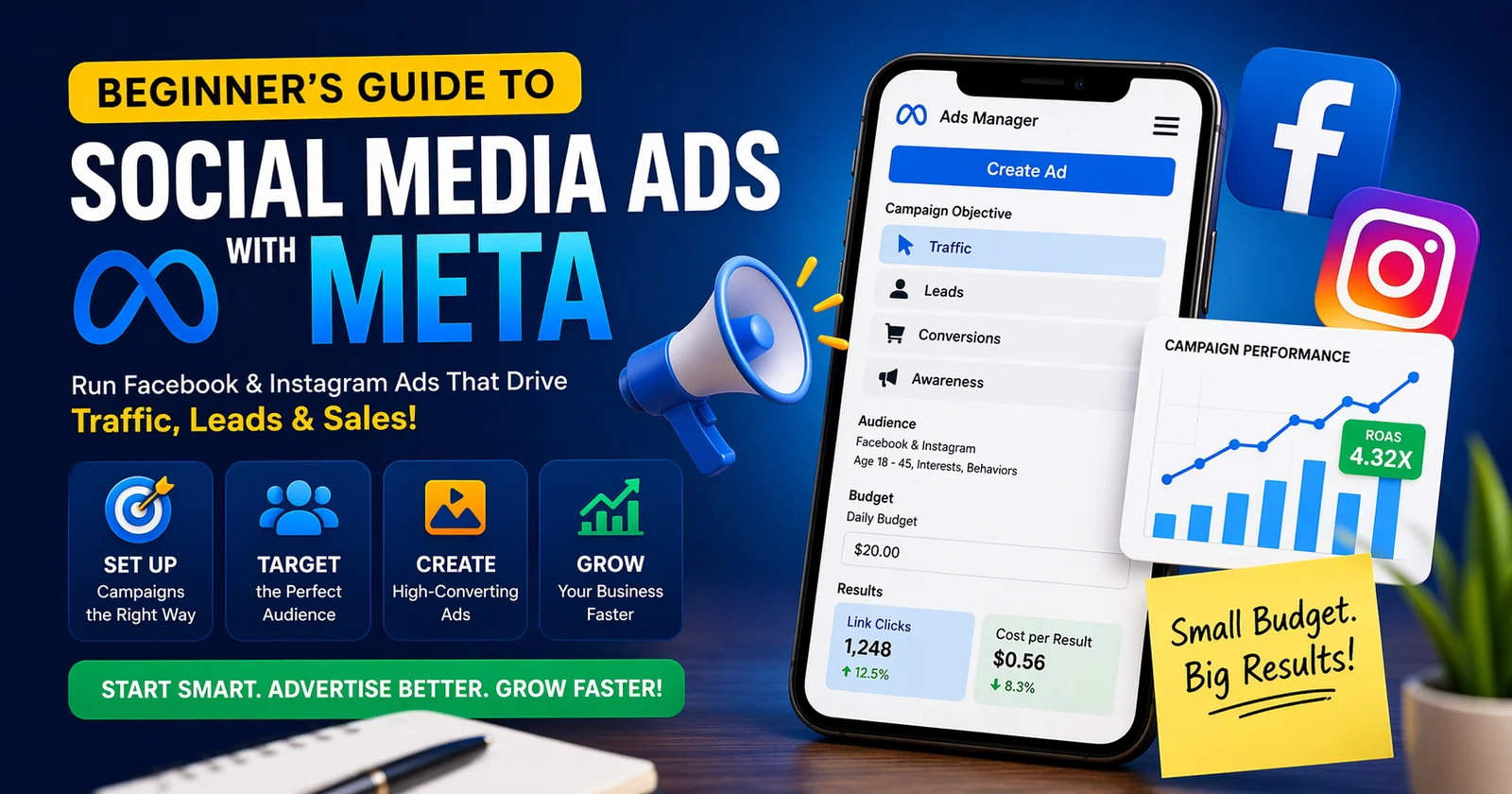
In today’s digital-first world, running ads on social media is no longer optional—it’s essential. Whether you’re a startup, local business, or growing brand, Meta Ads (Facebook & Instagram ads) can help you reach the right audience, generate leads, and drive consistent revenue.
But for beginners, Meta Ads can feel overwhelming. From campaign setup to targeting and budgeting, there’s a lot to learn. This beginner-friendly, SEO-optimized guide will simplify everything so you can confidently launch your first campaign and start getting results.
What Are Meta Ads?
Meta Ads are paid advertisements displayed across platforms like Facebook, Instagram, Messenger, and Audience Network.
These ads allow businesses to:
- Reach highly targeted audiences
- Drive website traffic
- Generate leads and sales
- Build brand awareness
With billions of active users across Meta platforms, the reach is massive, making it one of the most powerful advertising tools available today.
Why Use Meta Ads for Your Business?
Before jumping into setup, it’s important to understand why Meta Ads are so effective:
🎯 Advanced Targeting
You can target users based on:
- Age, gender, and location
- Interests and behavior
- Purchase intent and activity
This ensures your ads are shown to people most likely to convert.
💰 Budget-Friendly Advertising
You don’t need a big budget. Even ₹300–₹500 per day can get you started.
📊 Data & Performance Tracking
Meta provides detailed analytics like:
- Click-through rate (CTR)
- Cost per click (CPC)
- Conversions
This helps you optimize campaigns for better ROI.
How Meta Ads Work (Simple Breakdown)
Meta Ads follow a 3-level structure:
- Campaign – Defines your goal (traffic, leads, sales)
- Ad Set – Defines your audience, budget, and placements
- Ad – The creative (image, video, copy)
Think of it as:
👉 Goal → Audience → Message
This structure helps Meta deliver your ads efficiently to the right users.
Step-by-Step: How to Start Meta Ads (Beginner Guide)
1. Set Up Meta Business Manager
Start by creating a Meta Business account. This is your dashboard to:
- Manage campaigns
- Track performance
- Handle billing
2. Choose the Right Campaign Objective
Your campaign goal determines how Meta delivers your ads.
Common objectives:
- Awareness – Reach more people
- Traffic – Drive website visits
- Leads – Collect inquiries
- Conversions – Generate sales
Choosing the wrong objective can waste your budget—so be clear about your goal.
3. Define Your Target Audience
Audience targeting is where Meta Ads truly shine.
You can target:
- Custom audiences (existing customers)
- Lookalike audiences (similar users)
- Interest-based audiences
👉 Beginner Tip: Start broad, then refine based on data.
4. Set Budget & Schedule
You can choose:
- Daily budget (fixed per day)
- Lifetime budget (fixed total spend)
Start small, test performance, then scale.
5. Create High-Converting Ad Creatives
Your ad creative is the most important factor.
A good ad includes:
- Eye-catching visuals (image/video)
- Clear headline
- Strong call-to-action (CTA)
Short-form videos (Reels) often perform better on Instagram.
6. Choose Ad Placements
Meta allows automatic or manual placements:
- Facebook feed
- Instagram feed & stories
- Messenger
- Audience Network
👉 Beginners should start with automatic placements.
7. Launch, Test & Optimize
Never rely on one ad.
Test multiple:
- Creatives
- Audiences
- Headlines
Track performance and optimize based on results.
Best Meta Ad Formats for Beginners
Here are the most effective formats:
📸 Image Ads
Simple and cost-effective.
🎥 Video Ads
Highly engaging and better for conversions.
🧩 Carousel Ads
Show multiple products or features.
📱 Story & Reels Ads
Best for mobile users and younger audiences.
Common Mistakes Beginners Must Avoid
Many businesses fail with Meta Ads due to simple mistakes:
- ❌ Running ads without a goal
- ❌ Targeting too narrow audiences
- ❌ Poor ad creatives
- ❌ No testing or optimization
- ❌ Ignoring data
👉 Fix: Focus on strategy first, then execution.
Key Metrics You Should Track
To improve performance, monitor:
- CTR (Click-Through Rate) → Are people clicking?
- CPC (Cost Per Click) → How much are you paying?
- Conversion Rate → Are users taking action?
- ROAS (Return on Ad Spend) → Are you profitable?
These metrics help you scale successful campaigns.
Pro Tips to Get Better Results (2026 Strategy)
🚀 1. Focus on Creatives First
Creative quality often matters more than targeting.
🎯 2. Use Retargeting
Show ads to people who already visited your website.
📊 3. Test Everything
Run A/B tests regularly.
🔁 4. Optimize Weekly
Don’t change ads daily—give them time to learn.
💡 5. Keep It Simple
Avoid overcomplicating your campaigns.
How Meta Ads Help Generate Traffic & Clients
Meta Ads are powerful because they target users before they even search.
Unlike Google Ads:
- Meta = Interest-based targeting
- Google = Intent-based targeting
This means you can:
- Build brand awareness
- Capture leads early
- Nurture potential customers
For service businesses, this is extremely effective for generating consistent client inquiries.
Final Thoughts
Meta Ads can seem complex at first, but once you understand the basics, they become one of the most powerful tools for growth.
Start simple:
- Define your goal
- Target the right audience
- Create strong creatives
- Test and optimize
With consistency and strategy, you can turn Meta Ads into a reliable traffic and lead generation machine for your business.
Quick Beginner Checklist
- ✔ Set clear campaign goals
- ✔ Choose the right audience
- ✔ Start with a small budget
- ✔ Use high-quality creatives
- ✔ Track performance metrics
- ✔ Optimize regularly
Frequently Asked Questions
FAQ's
How do beginners start Meta Ads?
Create a Meta Business account, choose a campaign objective, define your audience, set a budget, and launch your first ad.
What is the minimum budget for Meta Ads?
You can start with as low as ₹300–₹500 per day and scale based on performance.
Which Meta Ads objective is best for lead generation?
The “Leads” or “Conversions” objective works best for generating inquiries and potential customers.
Are Meta Ads better than Google Ads?
Meta Ads are great for interest-based targeting, while Google Ads work better for search intent. Both are effective when used strategically.
How long does it take for Meta Ads to show results?
Initial results can appear within 2–3 days, but optimal performance usually takes 1–2 weeks of testing and optimization.
What type of creatives work best for Meta Ads?
Short videos, reels, and high-quality visuals with clear messaging and strong CTAs perform best.
Leave A Comment
Popular Blog

Recent Blog
SEO vs Google Ads: Which Is Better for Business Growth?

Best Digital Marketing Agency for Small Businesses
How to Choose a Full-Service Digital Marketing Agency for Your Business Growth

8 Best Dental Digital Marketing Agencies in 2026
Published Comment