Redesigning a website is often necessary to stay competitive, improve user experience, and increase conversions. But here’s the biggest concern for most businesses: will a redesign hurt SEO rankings?
The short answer is—yes, it can… if done incorrectly.
A poorly executed redesign can lead to traffic drops, broken links, and lost rankings. However, with the right strategy, you can redesign your website without losing SEO—and even improve it.
In this guide, you’ll learn how to redesign a website without losing SEO, along with practical steps to maintain and grow your organic traffic.
Does Website Redesign Affect SEO?
Yes, website redesign can affect SEO—both positively and negatively.
🔻 Negative Impact (if done wrong):
- Loss of indexed pages
- Broken URLs and links
- Drop in keyword rankings
- Reduced organic traffic
🔺 Positive Impact (if done right):
- Improved site speed
- Better mobile experience
- Enhanced user engagement
- Higher search rankings
👉 The key is to follow an SEO-safe redesign process.
Does My Website Need a Redesign?
Before starting, ask yourself:
- Is your website outdated in design?
- Is it slow or not mobile-friendly?
- Are you getting low traffic or conversions?
- Is your bounce rate high?
If the answer is yes, then your website needs a redesign.
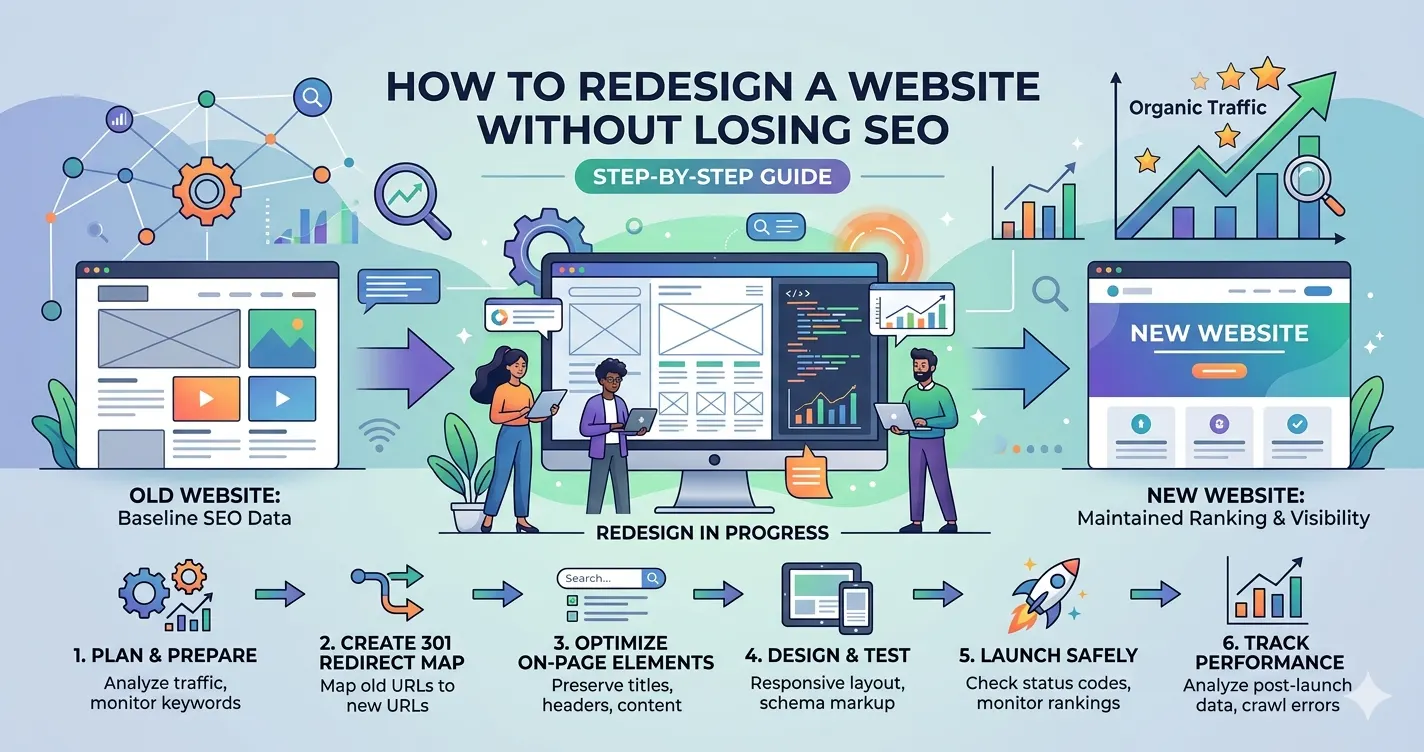
How to Redesign Website Without Losing SEO
Let’s break down the step-by-step process:
1. Perform a Complete Website Audit
Start by analyzing your current website performance.
Check:
- Top-performing pages
- High-ranking keywords
- Backlinks
- Traffic sources
👉 Tools you can use:
- Google Analytics
- Google Search Console
This helps you identify what’s working so you don’t lose it during redesign.
2. Keep Your URL Structure Intact
One of the biggest SEO mistakes is changing URLs.
- ✔ If possible, keep URLs the same
- ✔ If changes are required, use 301 redirects
👉 Example:
Old URL → New URL (with redirect)
This ensures search engines and users don’t hit broken pages.
3. Backup Your Website
Before making changes, take a full backup of:
- Website files
- Database
- Content
This protects your data in case anything goes wrong.
4. Optimize On-Page SEO Elements
Make sure you preserve and improve:
- Title tags
- Meta descriptions
- Header tags (H1, H2)
- Image alt texts
👉 Use this opportunity to enhance keyword targeting and improve content quality.
5. Improve Website Speed & Performance
Page speed is a critical ranking factor.
During redesign:
- Optimize images
- Minimize code
- Use caching
- Choose fast hosting
A faster website improves both SEO and user experience.
6. Ensure Mobile Responsiveness
Google uses mobile-first indexing, so your site must work perfectly on mobile devices.
7. Maintain Internal Linking Structure
Internal links help search engines understand your site.
- Keep important links intact
- Update links if URLs change
- Avoid broken links
8. Test Everything Before Launch
Before going live:
- Check all pages
- Test forms and CTAs
- Fix broken links
- Validate redirects
👉 Use staging environment for testing.
9. Submit Updated Sitemap
After launch:
- Generate new XML sitemap
- Submit it to Google Search Console
This helps search engines crawl your updated website quickly.
10. Monitor Performance After Launch
Track your SEO performance regularly:
- Traffic changes
- Keyword rankings
- Crawl errors
👉 Fix issues immediately to avoid long-term damage.
How to Manage a Website Redesign Project
A successful redesign requires proper planning.
Key Steps:
- Define clear goals (traffic, leads, branding)
- Assign roles (designers, developers, SEO experts)
- Create a timeline
- Use a staging environment
- Test before launch
👉 Always involve an SEO expert from the beginning.
How Long Does It Take to Redesign a Website?
The timeline depends on complexity:
- Small website: 2–4 weeks
- Medium website: 4–8 weeks
- Large/custom website: 8–12+ weeks
👉 SEO-safe redesign may take slightly longer—but it’s worth it.
How Much to Charge for Website Redesign?
Pricing varies based on features and requirements:
- Basic redesign: $1000 – $5,000
- Business website: $5,000 – $15,000
- Advanced/custom: $15,000+
Factors affecting cost:
- Number of pages
- Design complexity
- SEO optimization
- Integrations
👉 Investing in a proper redesign ensures long-term ROI.
Common Mistakes to Avoid
- ❌ Ignoring SEO during redesign
- ❌ Changing URLs without redirects
- ❌ Not testing before launch
- ❌ Removing important content
- ❌ Forgetting mobile optimization
Avoid these mistakes to protect your rankings.
Pro Tips for Better SEO Results
🚀 Focus on Content Quality
Update outdated content and add value.
🎯 Use Keyword Optimization
Include target keywords naturally across pages.
📊 Track Data Regularly
Monitor performance weekly after launch.
🔁 Improve Continuously
SEO is not one-time—it’s ongoing.
Frequently Asked Questions
FAQ's
Does website redesign affect SEO?
Yes, a redesign can impact SEO, but with proper planning, redirects, and optimization, you can maintain or even improve rankings.
How can I redesign my website without losing SEO?
You should audit your current site, keep URL structure or use 301 redirects, preserve content, and test everything before launch.
How long does it take to redesign a website?
It typically takes 4–10 weeks depending on the website size, features, and complexity.
How do I manage a website redesign project effectively?
Set clear goals, involve SEO experts, use a staging environment, and monitor performance after launch.
How much should I charge for a website redesign?
Pricing varies based on scope, but it generally ranges from basic to advanced depending on design, features, and SEO work.
How do I know if my website needs a redesign?
If your site is outdated, slow, not mobile-friendly, or not generating traffic and leads, it likely needs a redesign.
Final Thoughts
Redesigning your website doesn’t have to result in lost rankings or traffic. With the right strategy, you can protect your SEO, enhance performance, and unlock new growth opportunities. If you’re just getting started, explore our guide on Mistakes to Avoid When Building a Website (Beginner Checklist) to understand common pitfalls, and pair it with A Beginner’s Guide to Social Media Ads with Meta (Facebook & Instagram) to strengthen your overall digital strategy.
The key to a successful redesign is simple:
- Plan every step carefully
- Preserve critical SEO elements
- Test thoroughly before launch
- Continuously monitor performance
For businesses looking to ensure a smooth and result-driven transition, our Website Redesign Services are designed to maintain your SEO while improving conversions and user experience. When executed correctly, a redesign becomes more than an upgrade—it turns your website into a powerful engine for traffic, leads, and long-term business growth.










Published Comment