Building a website today is easier than ever—but building a successful, traffic-generating website is a different story. Many beginners rush into development without a clear strategy, which leads to costly mistakes, poor user experience, and low search engine rankings.
If you want your website to rank on Google, attract the right audience, and convert visitors into customers, avoiding common pitfalls is essential. This beginner-friendly checklist will walk you through the biggest mistakes to avoid when building a website—and how to fix them.
1. Skipping Proper Planning
One of the biggest mistakes beginners make is jumping straight into design without a clear plan.
Why this is a problem:
Without a roadmap, your website can lack structure, purpose, and direction. This leads to confusing navigation and poor user engagement.
What to do instead:
- Define your website goal (sales, leads, awareness)
- Identify your target audience
- Plan your website structure (pages, categories)
- Create a simple sitemap
Pro Tip: Think of your website as a business asset, not just a digital brochure.
2. Ignoring SEO from the Start
SEO (Search Engine Optimization) is not something you add later—it should be built into your website from day one.
Common beginner mistakes:
- Not doing keyword research
- Missing meta titles and descriptions
- Ignoring header tags (H1, H2, H3)
- Not optimizing URLs
What to do instead:
- Use intent-based keywords like:
- Optimize every page for search engines
- Write SEO-friendly content regularly
3. Choosing the Wrong Platform
Selecting the wrong website platform can limit your growth and flexibility.
Mistakes beginners make:
- Choosing platforms that are hard to scale
- Not considering SEO capabilities
- Ignoring customization options
Better approach:
- Choose a flexible CMS like WordPress
- Ensure mobile responsiveness
- Check plugin and integration support
Your platform should grow with your business—not restrict it.
4. Poor Website Design and User Experience (UX)
Your website design directly impacts how users perceive your brand.
Common issues:
- Cluttered layout
- Too many colors or fonts
- Confusing navigation
- No clear call-to-action (CTA)
Best practices:
- Keep the design clean and simple
- Use consistent branding
- Make navigation intuitive
- Highlight key actions (Contact, Buy Now, Get Quote)
Remember: A beautiful website means nothing if users can’t find what they need.
5. Not Mobile-Friendly
More than 70% of users browse websites on mobile devices. If your website isn’t mobile-friendly, you’re losing traffic.
Mistakes:
- Desktop-only design
- Text too small to read
- Buttons too close together
Solution:
- Use responsive design
- Test your site on multiple devices
- Optimize for mobile speed
Google also prioritizes mobile-first indexing, making this critical for SEO.
6. Slow Website Speed
A slow website kills both user experience and rankings.
Common causes:
- Large, unoptimized images
- Poor hosting
- Too many plugins
- No caching
How to fix it:
- Compress images
- Use a fast hosting provider
- Enable caching
- Minimize CSS and JavaScript
Stat: A delay of just 1 second can reduce conversions significantly.
7. Weak or No Content Strategy
Content is what drives organic traffic. Without it, your website will struggle to rank.
Beginner mistakes:
- Writing generic content
- Not targeting keywords
- No blog section
- Inconsistent posting
What to do:
- Create high-quality, valuable content
- Focus on search intent
- Maintain a content calendar
- Include blogs, guides, and FAQs
8. Ignoring On-Page SEO Basics
Even good content won’t rank if it’s not properly optimized.
Mistakes:
- Missing H1 tags
- Keyword stuffing
- No internal linking
- Missing image alt text
Checklist:
- Use one H1 per page
- Add relevant keywords naturally
- Link to other pages on your site
- Optimize images with alt text
9. No Clear Call-to-Action (CTA)
Visitors need direction. Without CTAs, they’ll leave without taking action.
Common mistakes:
- No buttons or links guiding users
- Weak or unclear messaging
Fix:
- Add strong CTAs like:
- “Get a Free Quote”
- “Contact Us Today”
- “Download Now”
- Place CTAs strategically across pages
10. Not Securing Your Website (HTTPS)
Security is crucial for both users and search engines.
Mistakes:
- No SSL certificate
- Using HTTP instead of HTTPS
Why it matters:
- Builds trust with users
- Improves SEO rankings
- Protects user data
Always install an SSL certificate before launching your website.
11. Forgetting About Analytics
If you don’t track performance, you can’t improve it.
Beginner mistakes:
- Not installing Google Analytics
- Ignoring user behavior data
What to track:
- Traffic sources
- Bounce rate
- Conversion rates
- Top-performing pages
Use data to make smarter decisions and optimize your website continuously.
12. Poor Navigation Structure
If users can’t find information quickly, they will leave.
Issues:
- Too many menu items
- Confusing categories
- Broken links
Best practices:
- Keep menu simple (5–7 items)
- Use clear labels
- Add a search feature
- Fix broken links regularly
13. Overusing Plugins and Features
More features don’t mean better performance.
Mistakes:
- Installing too many plugins
- Using heavy themes
- Adding unnecessary animations
Solution:
- Use only essential plugins
- Choose lightweight themes
- Focus on performance over features
14. No Backup or Maintenance Plan
Many beginners forget that websites require ongoing maintenance.
Risks:
- Data loss
- Security vulnerabilities
- Website crashes
What to do:
- Schedule regular backups
- Update plugins and themes
- Monitor website performance
15. Launching Without Testing
Launching a website without testing can lead to major issues.
Common problems:
- Broken links
- Form errors
- Layout issues
Pre-launch checklist:
- Test all pages
- Check mobile responsiveness
- Verify forms and CTAs
- Fix errors
Final Thoughts
Building a successful website goes far beyond just visual design—it requires the right mix of strategy, user experience, and performance optimization. By avoiding these common mistakes, you not only save time and cost but also position your website for long-term growth and higher search rankings. To dive deeper into best practices, explore more insights on the DigiLeef blog, such as Website Development Tips, SEO Strategies for Beginners, and How to Improve Website Performance.
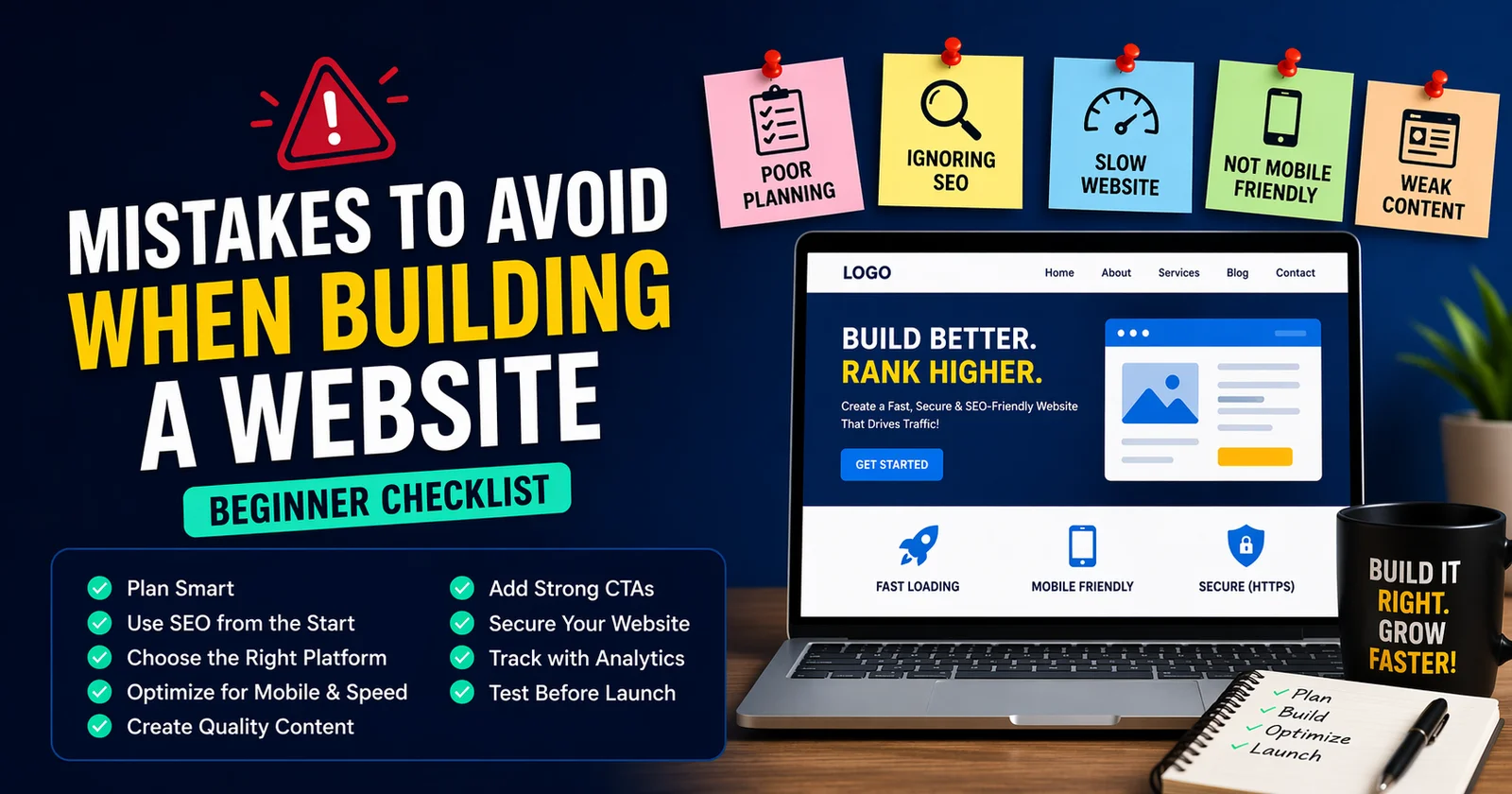
Quick Beginner Checklist:
- ✔ Plan your website structure (Read: Website Planning Guide)
- ✔ Use SEO from the beginning (Explore: SEO Basics for New Websites)
- ✔ Choose the right platform (Learn: Best CMS Platforms Compared)
- ✔ Optimize for mobile and speed (Check: How to Speed Up Your Website)
- ✔ Create high-quality content (Guide: Content Marketing for Traffic Growth)
- ✔ Add strong CTAs (Read: How to Increase Website Conversions)
- ✔ Secure your website (HTTPS) (Learn: Website Security Essentials)
- ✔ Track performance with analytics (Explore: Google Analytics Setup Guide)
- ✔ Test everything before launch (Checklist: Website Launch Checklist)
For more actionable guides and expert tips, visit the DigiLeef blog and keep optimizing your website for better traffic and conversions.
Frequently Asked Questions
FAQ's
What are common website building mistakes?
Poor planning, ignoring SEO, slow speed, bad design, and weak content strategy.
Why is SEO important for a website?
SEO helps your site rank higher and brings organic traffic.
How do I make my website SEO-friendly?
Use keywords, optimize meta tags, improve speed, and create quality content.
Which platform is best for beginners?
WordPress is a popular and beginner-friendly option.
Is mobile optimization necessary?
Yes, it improves user experience and boosts Google rankings.
How can I speed up my website?
Compress images, use fast hosting, enable caching, and reduce scripts.
What is a CTA?
A call-to-action guides users to take actions like “Contact Us” or “Buy Now.”
Do I need HTTPS for my website?
Yes, it secures your site and improves SEO.
How often should I update content?
Update regularly to stay relevant and improve rankings.
What to check before launching a website?
Check speed, mobile view, links, forms, and SEO basics.








Published Comment